Skip to content
TryDesk
FeaturesDownloadDocsSource codeSupport
Download
DocumentationConnecting

Connecting by ID.

How to reach another PC by its ID, from anywhere over the internet.

Updated Nov 25, 2026, TryDesk 1.4.3

On Home, in the Enter an ID, then Connect. box, type the target computer's 9-digit ID. If that computer uses an access password, fill in the Password field too. Click Connect.
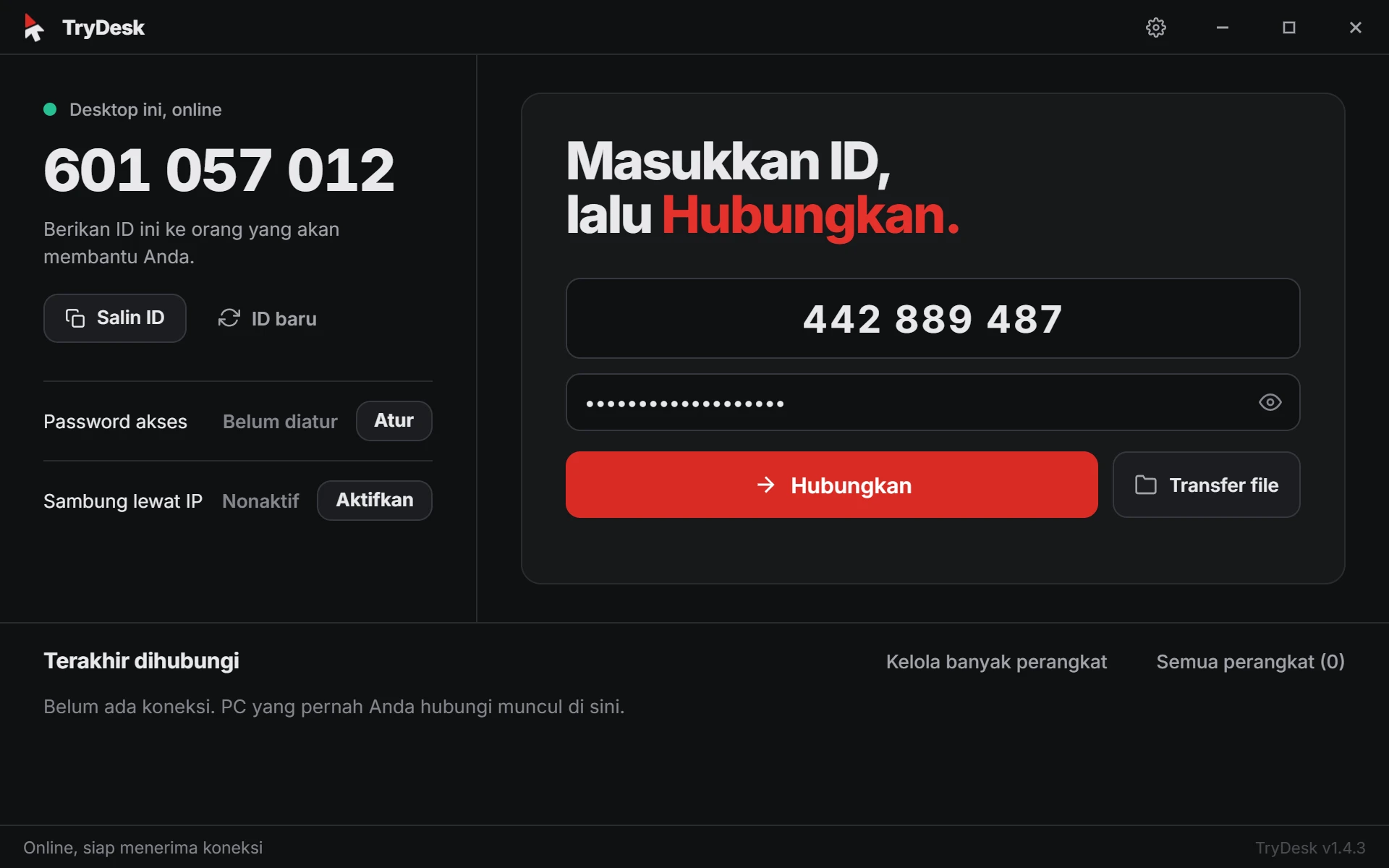
TryDesk home screen with an ID and a password filled in on the Remote Desktop panel
Type the target PC's 9-digit ID, plus its access password if it has one, then click Connect. The eye button in the Password field shows what you typed.

The connection is built directly between devices. If the network blocks a direct path, TryDesk automatically uses a TURN relay as a fallback. You don't need to configure anything.

Is there an access password?

Type it in the Password box before you click Connect, so you get in without waiting for Accept. See Access password.

Related pages

Something wrong or unclear on this page? Email [email protected].

TryDesk

Free and open-source remote desktop, made by DrWeabo.

Server online, version 1.4.3

Product

DownloadDocsChangelogFAQ

Project

Source codeSupportSponsors and partners

Help

Quick startTroubleshootingDiscord communityContact us

Legal

Privacy policyTerms of use
© 2026 DrWeabo, open source (AGPL-3.0), v1.4.3[email protected]