Skip to content
TryDesk
FeaturesDownloadDocsSource codeSupport
Download
DocumentationConnecting

Accepting a request.

What happens on your PC when someone wants to connect.

Updated Nov 25, 2026, TryDesk 1.4.3

Share your ID so others can connect. When a request comes in, the TryDesk window turns fully red and shows the sender's ID, the permissions requested and a scam warning. Click Accept or Reject. If nobody answers within 30 seconds, the request is declined automatically.
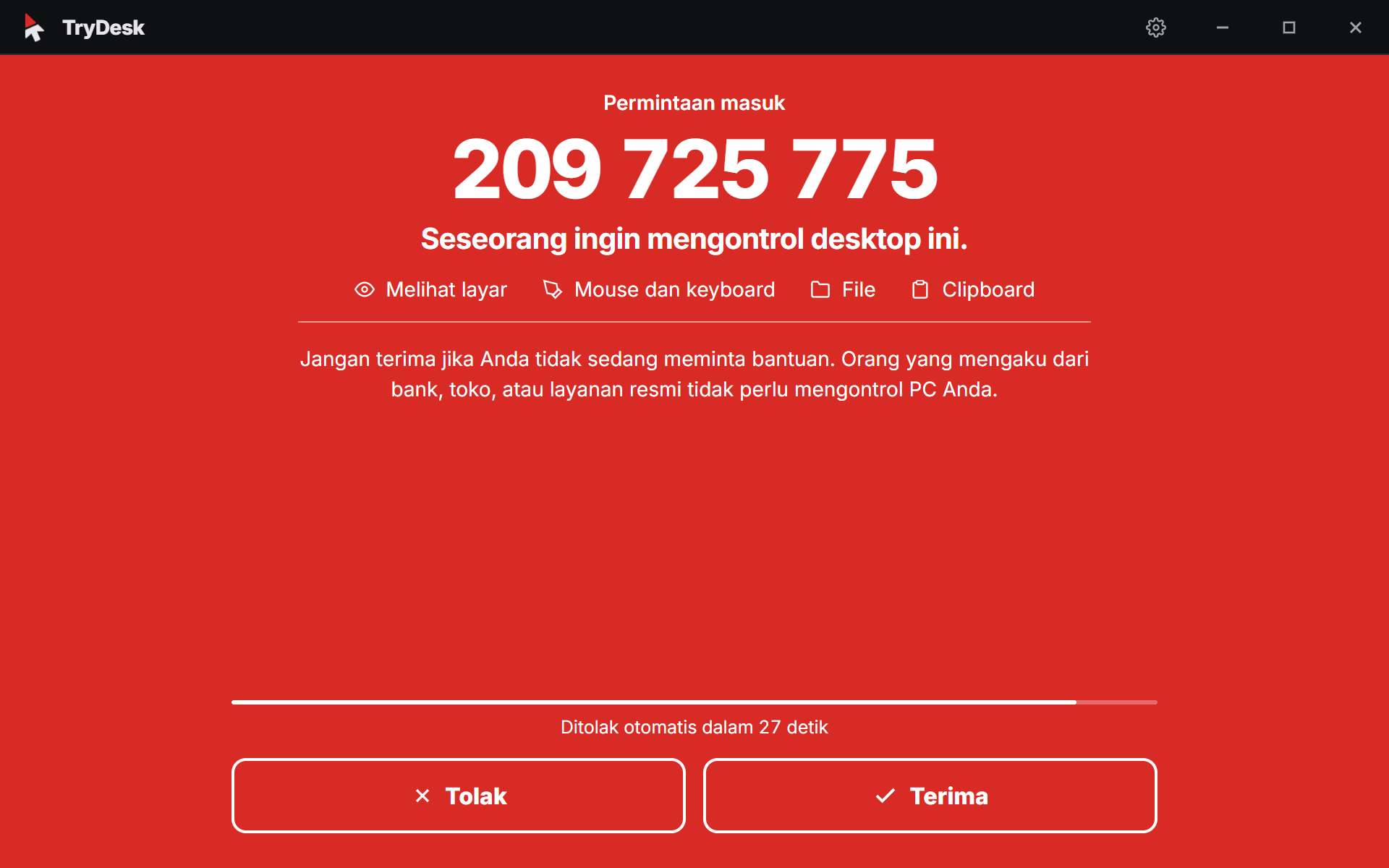
The red incoming request screen with the sender's ID, the permissions requested, and Reject and Accept buttons
Incoming request: the sender's ID, the permissions requested (screen, mouse and keyboard, files, clipboard), the time left, then Reject or Accept.

You can't remote into your own PC; TryDesk detects and prevents it automatically.

Watch out for scams

Whoever is connected can see everything on the screen and move your mouse. Only accept requests from people you know and are actually expecting.

Related pages

Something wrong or unclear on this page? Email [email protected].

TryDesk

Free and open-source remote desktop, made by DrWeabo.

Server online, version 1.4.3

Product

DownloadDocsChangelogFAQ

Project

Source codeSupportSponsors and partners

Help

Quick startTroubleshootingDiscord communityContact us

Legal

Privacy policyTerms of use
© 2026 DrWeabo, open source (AGPL-3.0), v1.4.3[email protected]